


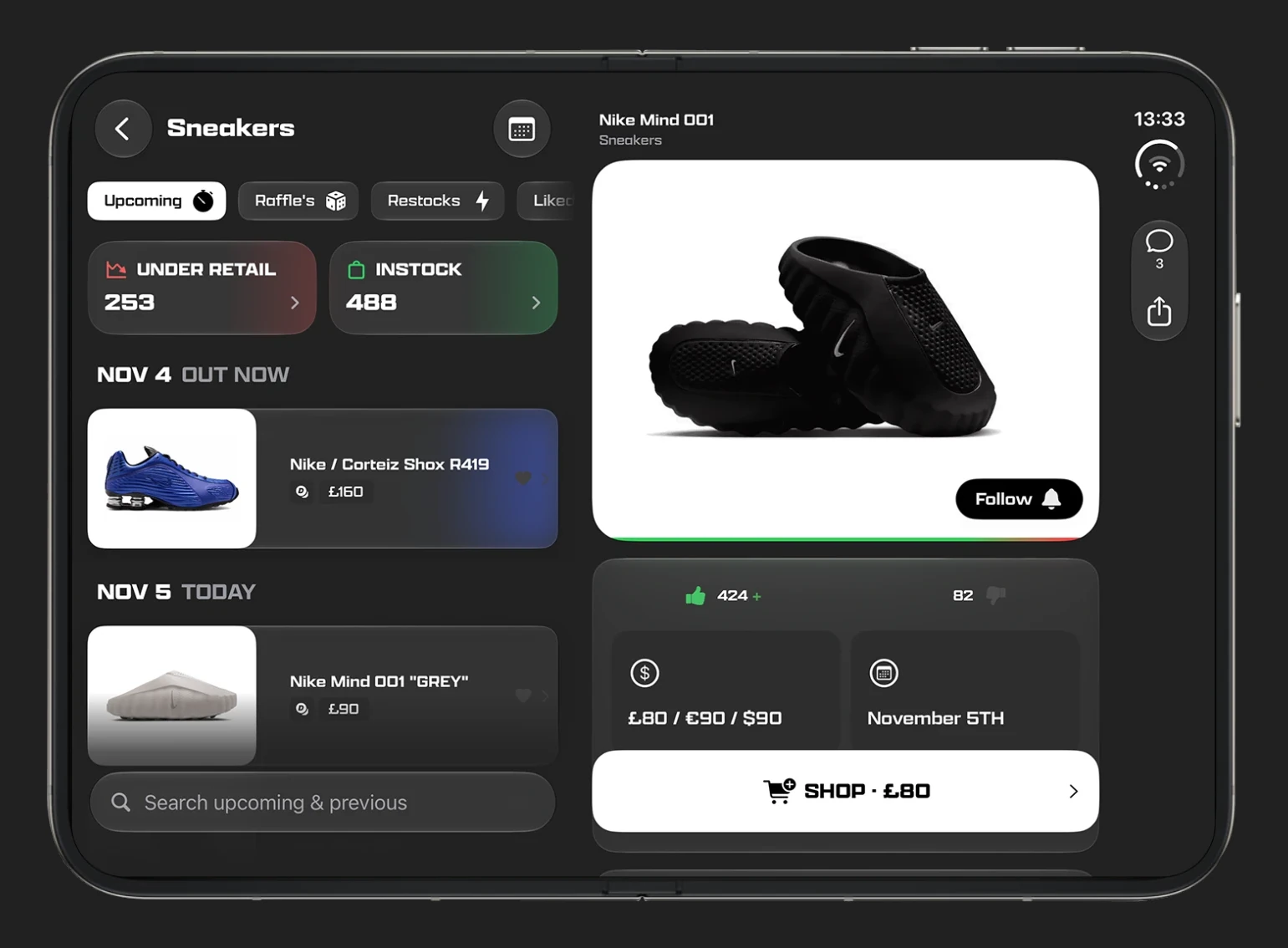
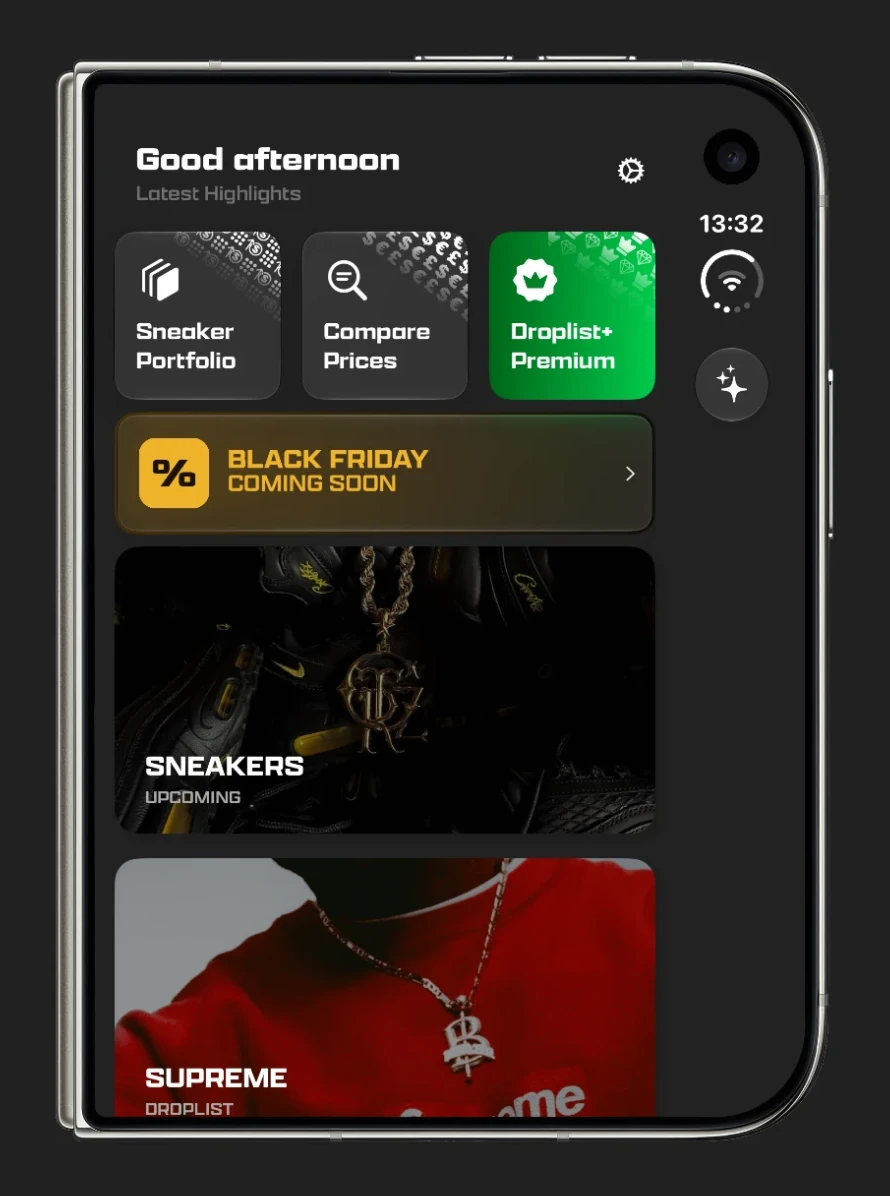
Droplist is built for both screens of iPhone Duo, and its App Store page carries Apple's "Made for iPhone Duo" badge. Closed, it fills the 5.4-inch outer display, with its controls in the strip down the side. Open, it uses the 7.6-inch inner display for two columns: the list of drops on the left and the shoe you picked on the right. All of this is in version 5.0.20, released in November 2026, so update the app if you already have it.
Download DroplistOpen: the list on the left, the shoe on the right
Open the phone and Droplist splits into two columns. Go to Sneakers and the list sits on the left, with the first drop already open on the right. Tap another shoe and only the right side changes, so you keep your place in the list. It works the same whether you hold the phone wide or upright.
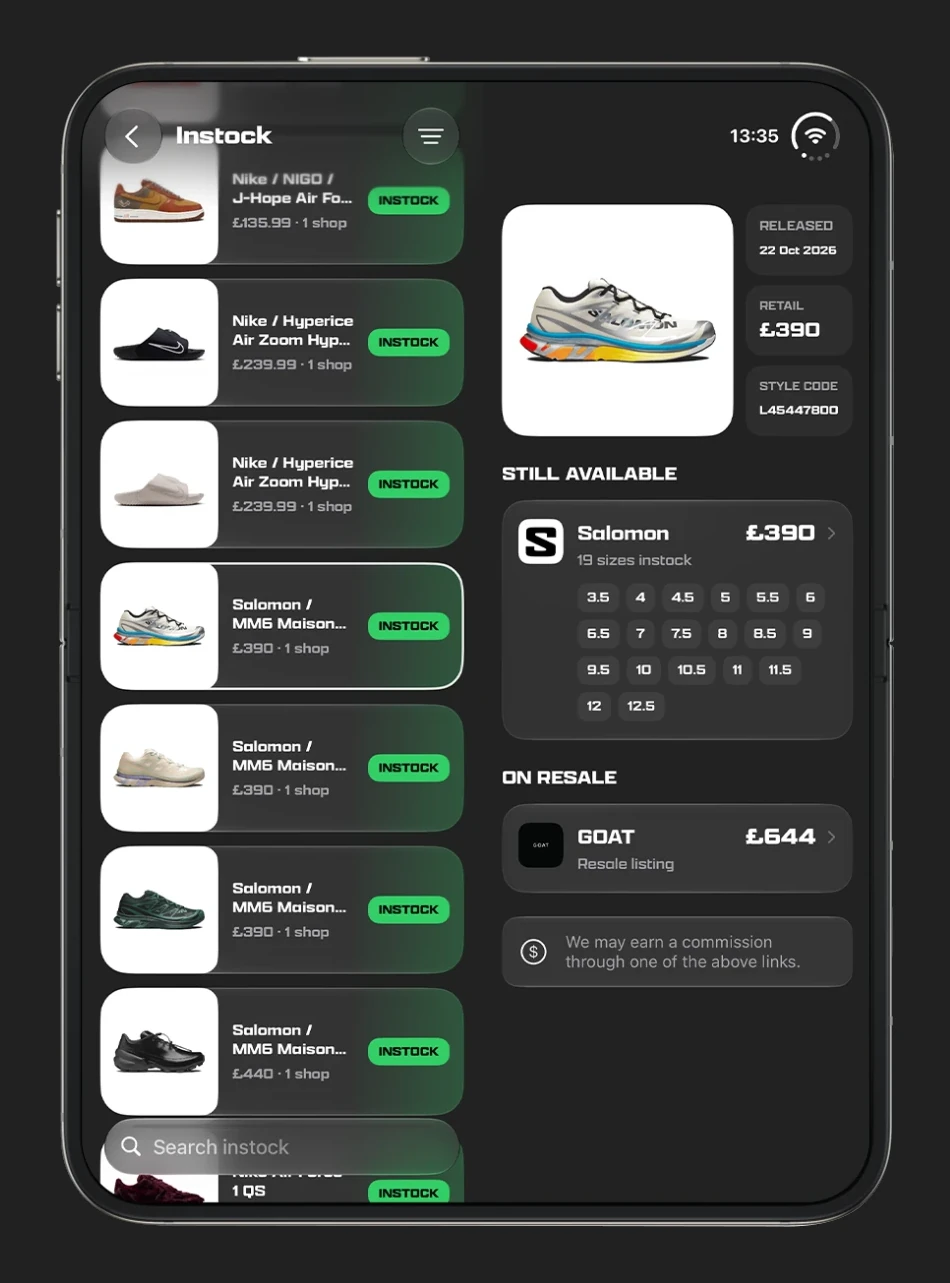
The shoe you are reading is outlined in the list. That matters more than it sounds, because a release can have several colourways under one name, and the outline shows which one is open. The photo sits in its own rounded card with the name above it, Follow, the price, the date and the Shop button are all in view, and Comments and Share move to the strip down the right edge.
Where two columns help
- In stock. The In stock list stays on the left while the right shows each shop with its sizes, plus the resale price, so you can check a run of pairs quickly.
- Raffle days. Switch to raffles and work down the list with each shoe open beside it. If raffles are new to you, read how sneaker raffles work.
- Supreme and Palace weeks. Open Supreme or Palace and the week's items run down the left, with each one opening on the right as you tap it.
- Colourways. Tap between versions of the same shoe to compare them, without going back and forward.
Closed: one column, controls on the side
Closed, iPhone Duo is wider than a normal iPhone, and iOS moves the navigation controls into a strip down the side. Droplist follows that. Nothing on the page runs underneath the strip, and the button for Ask Droplist, our sneaker release assistant, sits there too. On the Sneakers list, search moves there as well.
Folding and unfolding keeps your place
Close the phone on a list and you stay on that list. Open it again and the list is back on the left, with a shoe on the right. Open a shoe while the phone is closed and it moves to the right column when you unfold. There is nothing to switch on: Droplist changes as the phone does.
Nothing changes on other phones
Two columns and the side strip only appear on iPhone Duo. On every other iPhone, and in the Android app, Droplist keeps its usual layout.
How to get it
Droplist is free on the App Store. If you already have it, update to version 5.0.20 or later. There is nothing to set up, and you get the same release calendar, raffles, restock alerts and resale prices as on any other phone.